
Dr. Paul Borosky, DBA, MBA
College Professor · Business Consultant
How to Calculate Stock Gain or Loss and Portfolio Weights Step by Step in Excel
Two questions every portfolio assignment asks: how much did each stock make or lose, and how much of the portfolio does each one represent? Watch Dr. Paul build it in Excel, then follow the same worksheet below.
Last Updated: 10/30/2026 · Written by Dr. Paul Borosky, DBA, MBA
Watch First
Watch: Using Excel to Calculate Gain or Loss and Weight of Stocks in a Portfolio
The Short Answer
How Do You Calculate Gain or Loss and Portfolio Weight?
Gain or loss is what a stock is worth now minus what you paid for it. A stock's weight is its current value divided by the total value of the portfolio. Weights always add up to 100%, and they tell you where your money, and your risk, really sits.
Gain = (Pnow − Pbuy) × Shares
Weight = Valuestock ÷ Valueportfolio
- Pnow
- Current price per share
- Pbuy
- Purchase price per share
- Shares
- Number of shares you own
- Value
- Current price × shares, for one stock or the whole portfolio
Need Help Reading Your Results?
Step by Step
How Do You Calculate Each Stock's Weight in a Portfolio?
Here is a four stock portfolio. You bought each one at a different price, and today's prices are in the last column.
| Stock | Shares | Purchase price | Current price |
|---|---|---|---|
| A | 100 | $25.00 | $30.00 |
| B | 50 | $80.00 | $72.00 |
| C | 200 | $12.00 | $17.00 |
| D | 40 | $140.00 | $150.00 |
- 1
Find the cost of each position
Shares × purchase price. A: 100 × $25 = $2,500. B: $4,000. C: $2,400. D: $5,600. Total cost: $14,500.
- 2
Find the current value of each position
Shares × current price. A: 100 × $30 = $3,000. B: $3,600. C: $3,400. D: $6,000. Total value: $16,000.
- 3
Subtract to get gain or loss
A: +$500. B: −$400. C: +$1,000. D: +$400. Portfolio: $16,000 − $14,500 = +$1,500.
- 4
Turn it into a percent return
Gain ÷ cost. A: 20.00%. B: −10.00%. C: 41.67%. D: 7.14%. Portfolio: $1,500 ÷ $14,500 = 10.34%.
- 5
Divide each value by the total to get the weight
A: $3,000 ÷ $16,000 = 18.75%. B: 22.50%. C: 21.25%. D: 37.50%. Add them: 100.00%. If your weights do not total 100%, something upstream is wrong.
Look at Stock C. It had the best return at 41.67%, but it is only about a fifth of the portfolio. Stock D earned 7.14% and carries the biggest weight. Weight tells you which stock actually moves your results. Return alone can fool you.
In Excel
How Do You Calculate Portfolio Weights in Excel?
Put the stock name in column A, shares in B, purchase price in C, and current price in D, starting on row 2. The four stocks fill rows 2 through 5, and row 6 holds totals. Enter these formulas in row 2, then fill them down.
| Column | Excel formula (row 2) | Result for Stock A |
|---|---|---|
| E: Cost basis | =B2*C2 | $2,500.00 |
| F: Current value | =B2*D2 | $3,000.00 |
| G: Gain or loss | =F2-E2 | $500.00 |
| H: Percent return | =G2/E2 | 20.00% |
| E6: Total cost | =SUM(E2:E5) | $14,500.00 |
| F6: Total value | =SUM(F2:F5) | $16,000.00 |
| I: Weight | =F2/$F$6 | 18.75% |
| H6: Portfolio return | =(F6-E6)/E6 | 10.34% |
The dollar signs in $F$6 lock the total so it does not slide down when you fill the formula. Skip them and rows 3 through 5 divide by empty cells. Format columns H and I as percentages.
Avoid These
What Are the Most Common Portfolio Weight Mistakes?
- Weighting by cost instead of current value. Stock B is 27.59% of what you paid but only 22.50% of what you own today. Weights use current market value unless the problem says otherwise.
- Forgetting to lock the total cell. Use
$F$6, notF6, or the formula breaks when you fill it down. - Averaging the percent returns. The simple average of A, B, C, and D is not the portfolio return. Divide total gain by total cost, or weight each return.
- Dropping the minus sign on a loss. Stock B lost $400. Write it as negative so your totals add up.
- Mixing up price and value. A $150 stock is not a bigger holding than a $17 stock. Multiply by shares first.
Real World Use
How a Student Uses Portfolio Weights
The mock portfolio report due Friday
Your investments class gave you a mock portfolio: 30 shares of X bought at $45, 20 shares of Y at $110, and 60 shares of Z at $18. Today X trades at $52, Y at $99, and Z at $21.
Cost: $1,350 + $2,200 + $1,080 = $4,630. Value: $1,560 + $1,980 + $1,260 = $4,800. X gained $210 (15.56%), Y lost $220 (−10.00%), Z gained $180 (16.67%). The portfolio is up $170, or 3.67%.
Weights: X is 32.50%, Y is 41.25%, Z is 26.25%. That is the sentence that wins the grade: your biggest holding is your only loser, which is why two strong winners barely moved the total.
Keep Going
More Videos in This Series
How to Calculate the Beta of a Portfolio in Excel
Dr. Paul uses these same weights to find how risky the whole portfolio is. (6:47)
Expected Rate of Return
Dr. Paul shows how to weight possible outcomes to estimate what a stock should earn. (3:03)
Holding Period Return Calculations
Dr. Paul adds dividends to price change to measure what you really earned. (3:51)
Questions
Portfolio Weight Questions Students Ask
How do you calculate the weight of a stock in a portfolio?
How do I calculate gain or loss on a stock in Excel?
=F2-E2. Divide that by cost, =G2/E2, to get the percent return.Should portfolio weights use cost or market value?
How do I calculate the total return of a portfolio?
Why do my portfolio weights not add up to 100%?
=F2/$F$6. Rounding to whole percents can also leave you a hair off.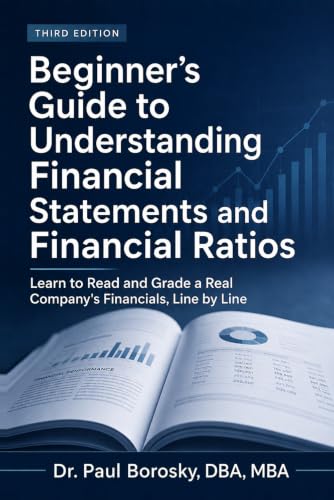
Portfolio math clicks faster with real company numbers.
Dr. Paul's Beginner's Guide to Understanding Financial Statements and Financial Ratios uses Apple's actual 10-K to show what sits behind a stock price, so you know what you own, not just how much.
Written by Dr. Paul Borosky, DBA, MBA, current college professor, business consultant, and author with 14+ years and 1,000+ businesses served.
This page is for general educational purposes only. It is not financial, investment, legal, or tax advice.