
Dr. Paul Borosky, DBA, MBA
College Professor · Business Consultant
How to Use the Future Value Formula With Examples and Excel Steps
Future value tells you what money today will be worth later. The formula is FV = PV × (1 + r)n. Watch Dr. Paul solve it, then follow the same example step by step below and check it in Excel.
Last Updated: 10/30/2026 · Written by Dr. Paul Borosky, DBA, MBA
Watch First
Watch: How to Use the Future Value Formula
The Short Answer
What Is the Future Value Formula?
The future value formula shows what an amount invested today will grow to after earning compound interest. Multiply the starting amount by one plus the interest rate, raised to the number of periods.
FV = PV × (1 + r)n
- FV
- Future value: what the money grows to
- PV
- Present value: the amount you start with today
- r
- Interest rate per period, written as a decimal (6% = 0.06)
- n
- Number of periods the money grows
Want to See Where Your Money Is Headed?
Step by Step
How Do You Calculate Future Value?
Here is the question Dr. Paul uses with his college students: you deposit $5,000 today at 6% interest, compounded once a year. What is it worth in 10 years?
- 1
Write down what you know
PV = $5,000. r = 6%, or 0.06. n = 10 years. You are solving for FV.
- 2
Add one to the rate
1 + 0.06 = 1.06. This is how much each dollar grows in one year.
- 3
Raise it to the number of periods
1.0610 = 1.790848. Each dollar becomes about $1.79 after ten years of compounding.
- 4
Multiply by the starting amount
$5,000 × 1.790848 = $8,954.24. That is your future value.
- 5
Sanity check it
Simple interest would add $300 a year, or $3,000 total, for $8,000. Compounding earned an extra $954.24, because interest started earning interest.
Most wrong answers on future value problems are not math mistakes. They are setup mistakes: a monthly rate paired with years, or a percent typed as a whole number. Write down PV, r, and n before touching the calculator, and most errors disappear.
In Excel
How Do You Calculate Future Value in Excel?
Excel has a built-in FV function: =FV(rate, nper, pmt, pv). Enter the starting amount as a negative number, because it is money leaving your pocket. Here is how the same problems look in a spreadsheet.
| Problem | Excel formula | Answer |
|---|---|---|
| $5,000 at 6% for 10 years, compounded yearly | =FV(6%,10,0,-5000) | $8,954.24 |
| $10,000 at 6% for 5 years, compounded yearly | =FV(6%,5,0,-10000) | $13,382.26 |
| $10,000 at 6% for 5 years, compounded monthly | =FV(6%/12,60,0,-10000) | $13,488.50 |
| $200 a month for 10 years at 6% | =FV(6%/12,120,-200,0) | $32,775.87 |
Notice the monthly rows: the rate is divided by 12 and the years are multiplied by 12. That one change is where most spreadsheet answers go wrong.
Avoid These
What Are the Most Common Future Value Mistakes?
- Mixing periods. A monthly rate with a number of years, or the reverse. The rate and n must use the same period.
- Typing the percent as a whole number. 6% is 0.06 in the formula. Using 6 turns $5,000 into over a trillion dollars.
- Forgetting the negative sign in Excel. Leave PV positive and Excel returns a negative answer. The math is right; the sign shows direction of cash flow.
- Using simple interest. Simple interest multiplies rate by time. Future value compounds, so interest earns interest.
- Rounding too early. Round 1.790848 to 1.79 and you are off by $4. Keep the full number until the final step.
Real World Use
How a Student Uses the Future Value Formula
A finance midterm question, solved three ways
The question: "A client deposits $12,000 today at 5% compounded annually. What will it be worth in 8 years?" Start with the formula: $12,000 × (1.05)8 = $12,000 × 1.477455 = $17,729.46.
Then check it two ways. On a financial calculator: N = 8, I/Y = 5, PV = −12,000, PMT = 0, compute FV. In Excel: =FV(5%,8,0,-12000). All three land on $17,729.46.
Writing out the setup earns method points even if a keystroke goes wrong, and checking with a second tool catches the mistake before the professor does.
Keep Going
More Videos in This Series
Future Value Formula in Excel
The same kind of problem solved with the FV function, cell by cell. (6:55)
Present Value and Future Value Calculator Template in Excel
Build a reusable sheet that solves both directions in seconds. (6:24)
How to Calculate Present Value
The reverse question: what is a future amount worth today? (6:10)
Questions
Future Value Questions Students Ask
What is the future value formula?
What is the difference between future value and present value?
How do I calculate future value in Excel?
=FV(rate, nper, pmt, pv). For $5,000 at 6% for 10 years, type =FV(6%,10,0,-5000) and Excel returns $8,954.24. Enter the starting amount as a negative number, because it is money leaving your pocket.How does compounding frequency change future value?
How do I find the future value of monthly payments?
=FV(6%/12,120,-200,0) shows that $200 a month for 10 years at 6% grows to $32,775.87.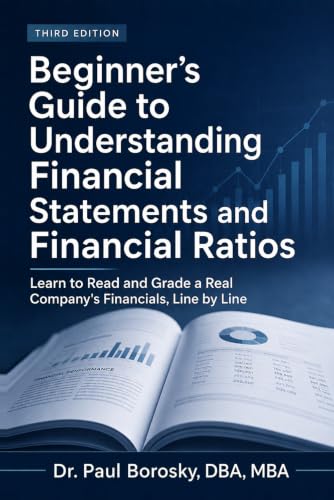
Formulas make more sense when the numbers are real.
Dr. Paul's Beginner's Guide to Understanding Financial Statements and Financial Ratios walks through statements and ratios using Apple's actual 10-K, in plain English, the same way he teaches it in class.
Written by Dr. Paul Borosky, DBA, MBA, current college professor, business consultant, and author with 14+ years and 1,000+ businesses served.
This page is for general educational purposes only. It is not financial, investment, legal, or tax advice.