
Dr. Paul Borosky, DBA, MBA
College Professor · Business Consultant
How to Use the Present Value Formula With a Worked Example and Excel Steps
Present value tells you what money promised in the future is worth today. The formula is PV = FV ÷ (1 + r)n. Watch Dr. Paul solve it, then follow the same kind of problem step by step below and check it in Excel.
Last Updated: 10/30/2026 · Written by Dr. Paul Borosky, DBA, MBA
Watch First
Watch: How to Calculate Present Value With the Formula, a Calculator, and Excel
The Short Answer
What Is the Present Value Formula?
The present value formula tells you what a future amount is worth in today's dollars. Divide the future amount by one plus the discount rate, raised to the number of periods. A dollar later is worth less than a dollar now, and this formula tells you exactly how much less.
PV = FV ÷ (1 + r)n
- PV
- Present value: what the future money is worth today
- FV
- Future value: the amount you will receive later
- r
- Discount rate per period, written as a decimal (7% = 0.07)
- n
- Number of periods until you receive the money
What Is Future Money Worth Today?
Step by Step
How Do You Calculate Present Value?
Here is the question: someone promises you $10,000 in 5 years. You could earn 7% a year elsewhere. What is that promise worth today?
- 1
Write down what you know
FV = $10,000. r = 7%, or 0.07. n = 5 years. You are solving for PV.
- 2
Add one to the rate
1 + 0.07 = 1.07. This is how much a dollar grows in one year at your rate.
- 3
Raise it to the number of periods
1.075 = 1.402552. A dollar today grows to about $1.40 in five years.
- 4
Divide the future amount by that number
$10,000 ÷ 1.402552 = $7,129.86. That is the present value.
- 5
Check it in reverse
Grow $7,129.86 at 7% for 5 years: $7,129.86 × 1.402552 = $10,000.00. Present value and future value are the same formula, run in opposite directions.
The discount rate is the whole game. Raise it and present value drops. Lower it and present value climbs. When an exam answer looks off, check the rate first. Most of the time the rate or the period count is the problem, not the division.
In Excel
How Do You Calculate Present Value in Excel?
Excel has a built-in PV function: =PV(rate, nper, pmt, fv). Enter the future value as a negative number and Excel returns a positive present value. Leave it positive and the answer comes back negative. Same number, opposite sign.
| Problem | Excel formula | Answer |
|---|---|---|
| $10,000 in 5 years at 7% | =PV(7%,5,0,-10000) | $7,129.86 |
| $10,000 in 3 years at 5% | =PV(5%,3,0,-10000) | $8,638.38 |
| $50,000 in 10 years at 8%, compounded yearly | =PV(8%,10,0,-50000) | $23,159.67 |
| $50,000 in 10 years at 8%, compounded monthly | =PV(8%/12,120,0,-50000) | $22,526.17 |
| $300 a month for 5 years at 6% | =PV(6%/12,60,-300,0) | $15,517.67 |
Look at the two $50,000 rows. Monthly compounding lowers the present value, because the money would grow faster if you had it now. The last row puts a payment in the pmt slot to value a stream of equal payments, called an annuity.
Avoid These
What Are the Most Common Present Value Mistakes?
- Multiplying instead of dividing. Present value shrinks future money. If your PV is bigger than the FV, you multiplied.
- Mixing periods. A monthly rate with years, or the reverse. Divide the rate by 12 and multiply the years by 12 together, never one without the other.
- Typing the percent as a whole number. 7% is 0.07. Using 7 makes the present value of $10,000 about thirty cents.
- Panicking over the negative sign in Excel. A negative PV is not wrong. Excel shows cash going out versus cash coming in.
- Rounding too early. Round 1.402552 to 1.40 and your answer moves by more than $10. Keep every decimal until the last step.
Real World Use
How a Student Uses the Present Value Formula
Is a lump sum later worth taking today?
The question: "Your aunt will give you $25,000 in 6 years, when you finish grad school. If you can earn 4.5% a year, what is that gift worth today?" Set it up: FV = $25,000, r = 0.045, n = 6.
Solve it: 1.0456 = 1.302260. Then $25,000 ÷ 1.302260 = $19,197.39. Check it in Excel with =PV(4.5%,6,0,-25000). Same answer.
Now the part that earns full credit: explain it. If someone offered you less than $19,197.39 today in place of the future gift, waiting is the better deal at 4.5%. Anything more, take the cash now.
Keep Going
More Videos in This Series
Present Value and Future Value Calculator Template in Excel
Dr. Paul builds a reusable sheet that solves both directions in seconds. (6:24)
How to Use the Future Value Formula
The opposite question: how much will money today grow to later? (3:52)
Future Value Formula in Excel
Dr. Paul solves a time value of money problem with the FV function. (6:55)
Questions
Present Value Questions Students Ask
What is the present value formula?
Why is present value less than future value?
How do I calculate present value in Excel?
=PV(rate, nper, pmt, fv). For $10,000 in 5 years at 7%, type =PV(7%,5,0,-10000) and Excel returns $7,129.86. Enter the future value as a negative to get a positive answer.What discount rate should I use for present value?
What is the present value of an annuity?
=PV(6%/12,60,-300,0) shows that $300 a month for 5 years at 6% is worth $15,517.67 today.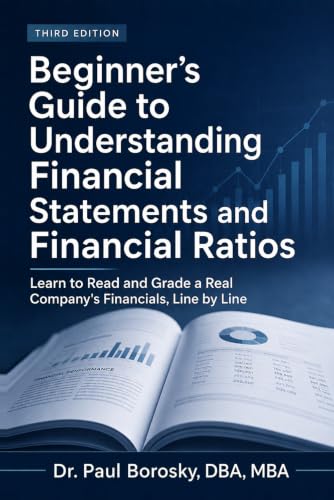
Present value makes more sense when the numbers are real.
Dr. Paul's Beginner's Guide to Understanding Financial Statements and Financial Ratios walks through statements and ratios using Apple's actual 10-K, in plain English, so the cash flows you discount actually mean something.
Written by Dr. Paul Borosky, DBA, MBA, current college professor, business consultant, and author with 14+ years and 1,000+ businesses served.
This page is for general educational purposes only. It is not financial, investment, legal, or tax advice.